

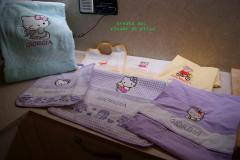
Embroidered Baby Blankets: A Handmade Gift Filled With Love

By diver361
- 408 views
- View diver361's images
Embroidered Baby Blankets: A Heartfelt Handmade Gift for New Mothers 👶✨
Few gifts feel as tender, intimate, and meaningful as a baby blanket embroidered by hand. Soft, warm, and personal, such a blanket becomes more than a useful accessory — it becomes a memory. Something a young mother will keep for years, sometimes even pass on to the next child.
In this article, we explore how to create an embroidered baby blanket, how to choose the right design and size so the embroidery doesn’t “get lost,” and what crafters around the world do to make their blankets look magical, safe, and beautifully finished.
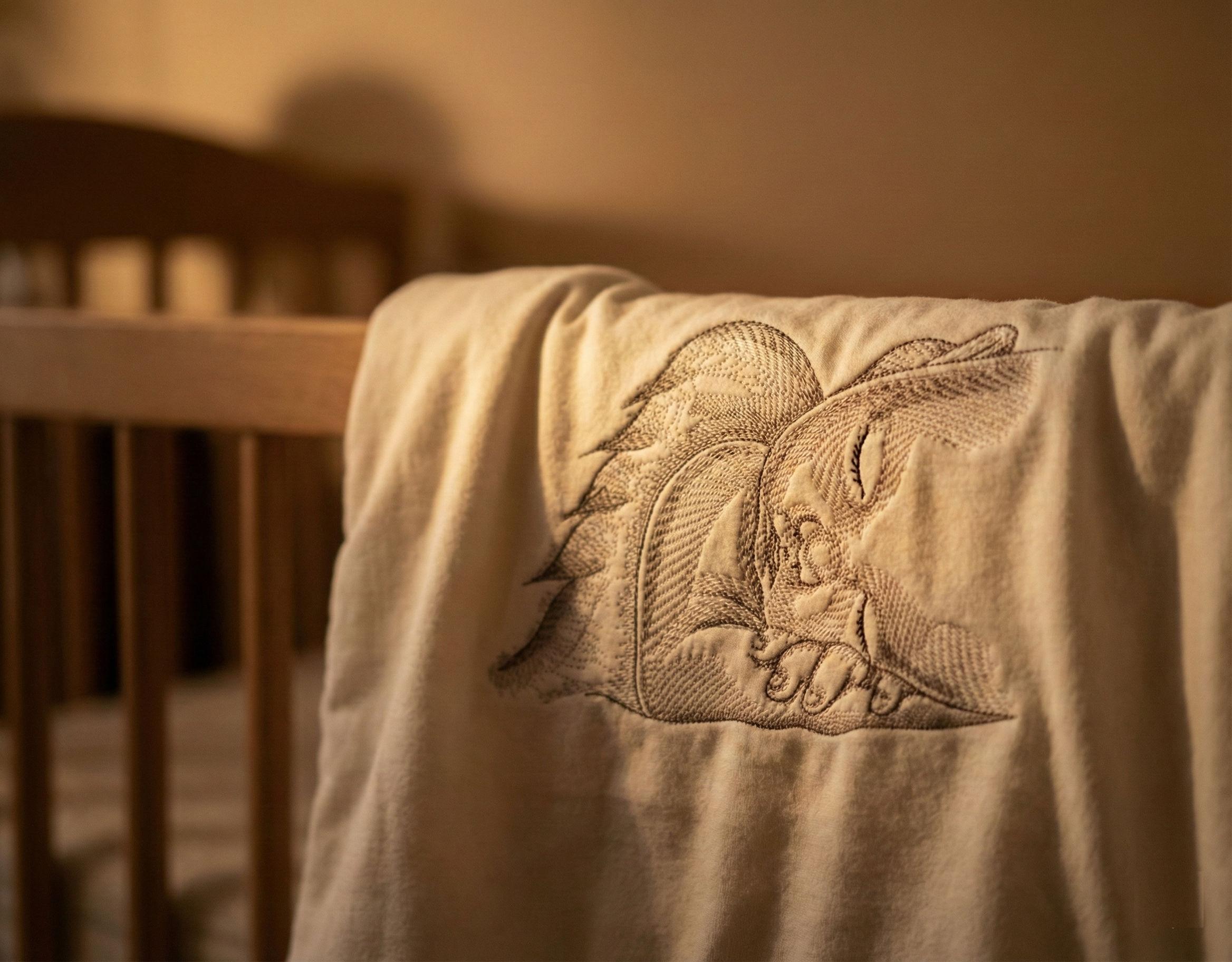
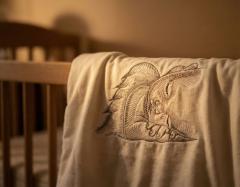
As an example, we’ll reference the delicate and artistic Sleeping Angel Greyscale Sketch embroidery design — perfect for newborn gifts.
✨ Example design:
Sleeping angel greyscale sketch embroidery design
Why Embroidered Baby Blankets Are So Special 💛
A baby blanket with embroidery carries emotional meaning:
It symbolizes care, attention, and handmade love
It becomes part of newborn photos
It often stays in the family as a keepsake
It transforms a simple blanket into a personal treasure
Online research in crafting forums, Pinterest boards, and Etsy shops shows that embroidered blankets with angel motifs, animals, delicate silhouettes, names, and birthdates are among the most popular choices. Parents are especially drawn to designs that feel calm, soft, and protective — like sleeping animals or angelic figures.
Choosing the Right Blanket Size & Embroidery Scale 🎯
One of the most important decisions is proportion. Embroidery that is too small disappears. Too large — and the blanket loses softness or becomes stiff.
Below are sizing standards used by professional embroiderers:
Recommended Embroidery Proportion
Embroidery width = 20–30% of the blanket's shorter side
This ensures visibility while preserving the blanket’s softness.
Common Baby Blanket Sizes
Blanket Type | Size | Ideal Embroidery Size |
|---|---|---|
Newborn wrap | 70 × 90 cm | 14–20 cm width |
Infant crib blanket | 80 × 110 cm | 16–24 cm width |
Large baby throw | 90 × 120 cm | 18–28 cm width |
Placement Matters:
Most embroiderers place the design on:
the bottom right corner, or
the center of the top third (great for photos)
This keeps the embroidery visible even when the baby is wrapped or when the blanket folds over a crib.
DESIGNER TIP: Choose outline or sketch-style designs (like a sleeping angel) to keep the blanket soft and flexible. Dense fills can make the fabric stiff, especially for newborns.
Materials You’ll Need for the Perfect Embroidered Baby Blanket 🧵🍼
Soft cotton, bamboo, fleece, minky, or flannel blanket
No-show mesh stabilizer (gentle for baby skin)
Water-soluble topping (for fluffy fabrics like minky)
Embroidery threads in soft, soothing colors
Embroidery hoop (medium size)
Pressing cloth
Optional: custom name or birthdate lettering
How to Embroider a Baby Blanket — Step-by-Step
1. Pre-Wash the Blanket
This prevents post-embroidery distortion. Baby fabrics shrink more than adult textiles.
2. Mark the Embroidery Area
Use a washable marker to outline the placement.
Ensure symmetry and enough space around the design.
3. Proper Stabilization (The Most Crucial Step!)
Float a no-show mesh stabilizer under the fabric
For minky or plush blankets, add a water-soluble topping
Avoid heavy cut-away stabilizers — they may irritate the baby's skin
DESIGNER TIP: After stitching, cover the backside with a soft iron-on comfort backing. This protects delicate skin and makes the blanket feel professionally finished.
4. Embroider the Design
Stitch slowly; baby fabrics stretch easily.
Sketch-style designs like the Sleeping Angel are fantastic because they minimize stitch density.
5. Trim, Clean, and Press
Remove topping by dabbing with warm water
Carefully trim stabilizer, leaving soft edges
Press from the back through a cloth to avoid flattening the embroidery
What Makers in Online Communities Are Doing 🔍
Researching similar handmade blankets online reveals some trends:
Most Popular Motifs
Sleeping angels
Woodland animals (foxes, fawns, bunnies)
Minimalist line-art babies
Name + date + small decorative elements
Greyscale or pastel-tone designs
Key Insights Noticed
Sketch-style designs stay soft and luxurious
Embroidery placed too low gets hidden when the baby is wrapped
Light grey, beige, and pastel colors feel calming and timeless
Personalized lettering increases emotional value dramatically
Many makers use matching gift boxes or ribbon wraps for presentation
DESIGNER TIP: If adding a baby’s name, keep the font at least 12–15 mm high for readability. Avoid fonts with heavy satin stitches — they can feel stiff.
Making the Gift Presentation Magical 🎁✨
A beautifully embroidered blanket deserves thoughtful packaging:
Neutral kraft box
Soft tissue paper
Small dried flower or eucalyptus sprig
A handwritten note (“Welcome to the world, little one!”)
This transforms a handmade blanket into a deeply touching emotional gift that new parents will never forget.
Final Thoughts: A Gift That Carries Love for Years to Come 💗
An embroidered baby blanket is more than fabric and thread.
It’s a message:
“You are loved, protected, and welcomed.”
By choosing gentle materials, a meaningful design, and proper proportions, you create a keepsake that a mother will treasure long after her child outgrows it.
Recommended Comments
Join the conversation
You can post now and register later. If you have an account, sign in now to post with your account.