

🎸 Music-Inspired Embroidered Bags with Light Sketch Design

By diver361
- 355 views
- View diver361's images
🎶👜 Embroidered Music-Themed Bags
Light Stitching, Fabric as Color & Artistic Freedom ✨
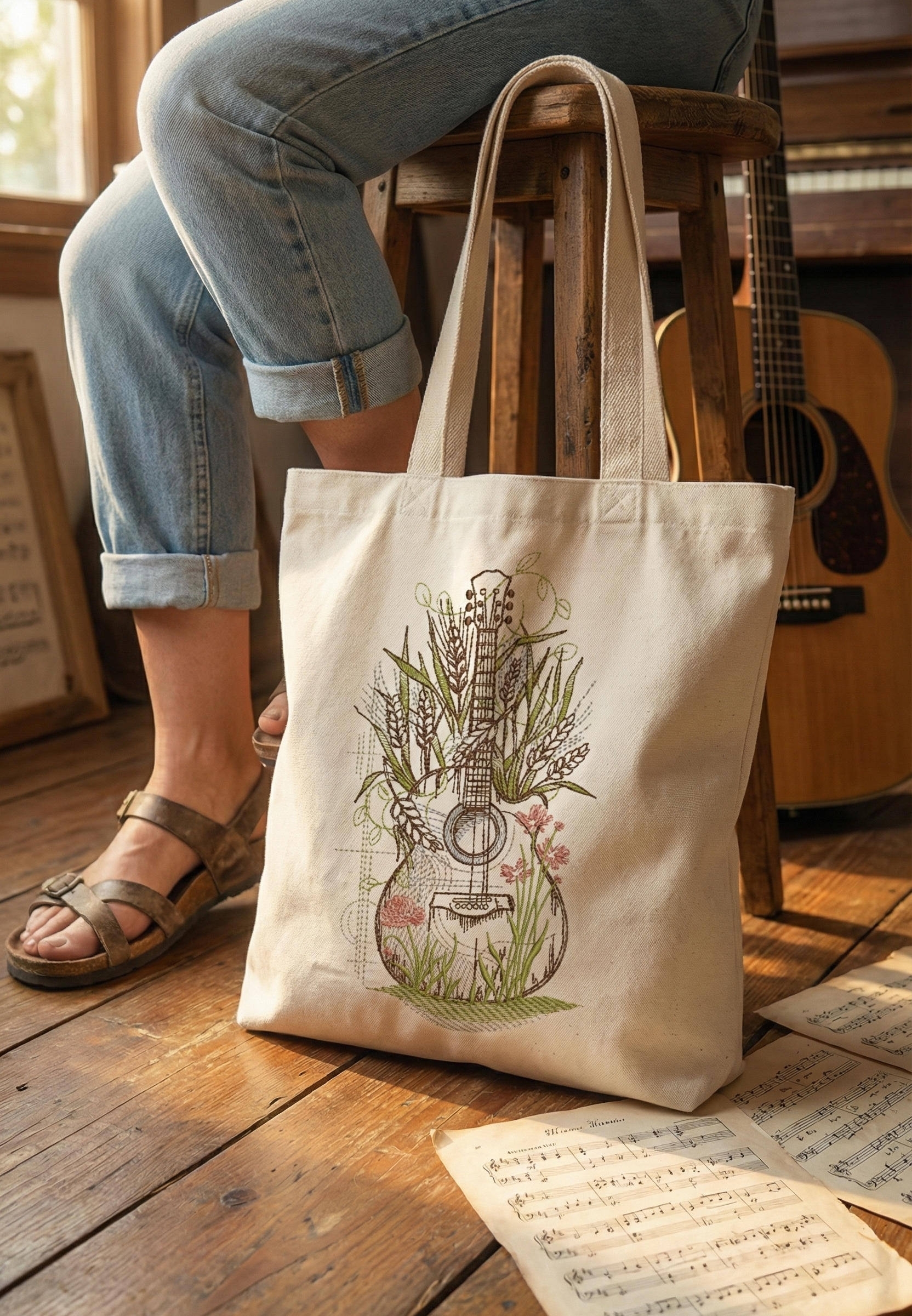
Embroidered bags with musical themes are a perfect example of how embroidery can stay light, elegant, and expressive without heavy fills or dense stitching. Guitars, notes, flowers, and sketch-style instruments turn everyday tote bags into wearable art — subtle, creative, and timeless 🎸🌿
This approach relies on line embroidery, open areas, and the natural color of the fabric itself — making designs easy to stitch and adaptable to almost any textile.
👉 Featured embroidery design for this style:
Flower Guitar embroidery design
🧵 What Makes Light Music Embroidery Special?
✔ No dense fill stitches
✔ Fabric color becomes part of the design
✔ Minimal stabilizer or none at all
✔ Faster embroidery time ⏱️
✔ Soft, flexible finished bags
🎼 These designs feel artistic, calm, and handcrafted, not industrial.
👜 Bag Styles That Work Best
Popular Bag Formats
👜 Canvas tote bags (most popular)
🎒 Light backpacks
👝 Drawstring bags
🧺 Cotton shoppers & market bags
🎵 Music sheet bags / book bags
✔ Flat front panels are ideal for sketch-style embroidery.
🧺 Fabrics That Embroider Easily (No Heavy Stabilizers)
Fabric | Why It’s Ideal |
|---|---|
Cotton canvas | Stable, clean stitch lines |
Cotton twill | Soft texture, artistic look |
Linen & linen blends | Natural, breathable, premium |
Denim (light/medium) | Great contrast for line art |
Recycled cotton | Eco-friendly, modern feel 🌱 |
🪡 Often a single layer of tear-away or light cut-away is enough.
🎨 Color Selection: Let the Fabric Shine
General Rule
👉 Choose thread colors that support the fabric — not fight it.
Ideal Color Pairings 🌈
🤍 Natural / beige fabric → olive, brown, muted green, dusty pink
🖤 Black fabric → sand, gold, light gray, sage
🌿 Green fabric → cream, dark brown, soft yellow
🌊 Blue fabric → warm beige, copper, olive
🧵 Denim → ecru, rust, soft white
🎸 For musical motifs, earthy & botanical tones feel more emotional than bright primaries.
✂️ Embroidery Style Recommendations
✏️ Sketch / line embroidery
🌸 Botanical elements integrated into instruments
🎼 Open shapes with visible fabric background
🎨 2–4 thread colors max
The Flower Guitar design works beautifully because the guitar outline stays light, while florals add warmth — without heavy stitch density.
💬 Designer Tips & Creative Callouts
🎶 “Light embroidery feels more like illustration than decoration.”
— Textile illustrator
🧵 “If the fabric color disappears, the design is too dense.”
— Embroidery designer
🎨 “Music themes work best with organic, flowing lines.”
— Lifestyle brand stylist
👜 “Tote bags should stay soft — embroidery must not stiffen them.”
— Product designer
🌍 Where Music-Themed Embroidered Bags Are Used
✨ Everyday tote bags
✨ Music students & teachers 🎼
✨ Gift items for musicians 🎁
✨ Eco & slow-fashion brands 🌱
✨ Creative merch for artists
They feel personal, not mass-produced.
🧡 Final Thought
Music-themed embroidered bags don’t need bold fills or heavy stitching to stand out. With light sketch embroidery, thoughtful color choices, and natural fabrics, the bag itself becomes part of the artwork 🎸👜
Designs like the Flower Guitar embroidery celebrate music, creativity, and craftsmanship — softly, beautifully, and effortlessly.
Recommended Comments
Join the conversation
You can post now and register later. If you have an account, sign in now to post with your account.