

How to Add Embroidery Where It Seems Impossible

By diver361 in Help for embroiderers
· 12 views
🧵 Denim Hack You’ll Love
Sometimes your favorite piece — like tight jeans, sleeves, or pockets — simply won’t fit into an embroidery hoop. Does that mean no embroidery? Absolutely not 😉
This is where a pro-level trick comes in: embroider separately, then attach invisibly.
✨ The Idea (Inspired by Your Example)
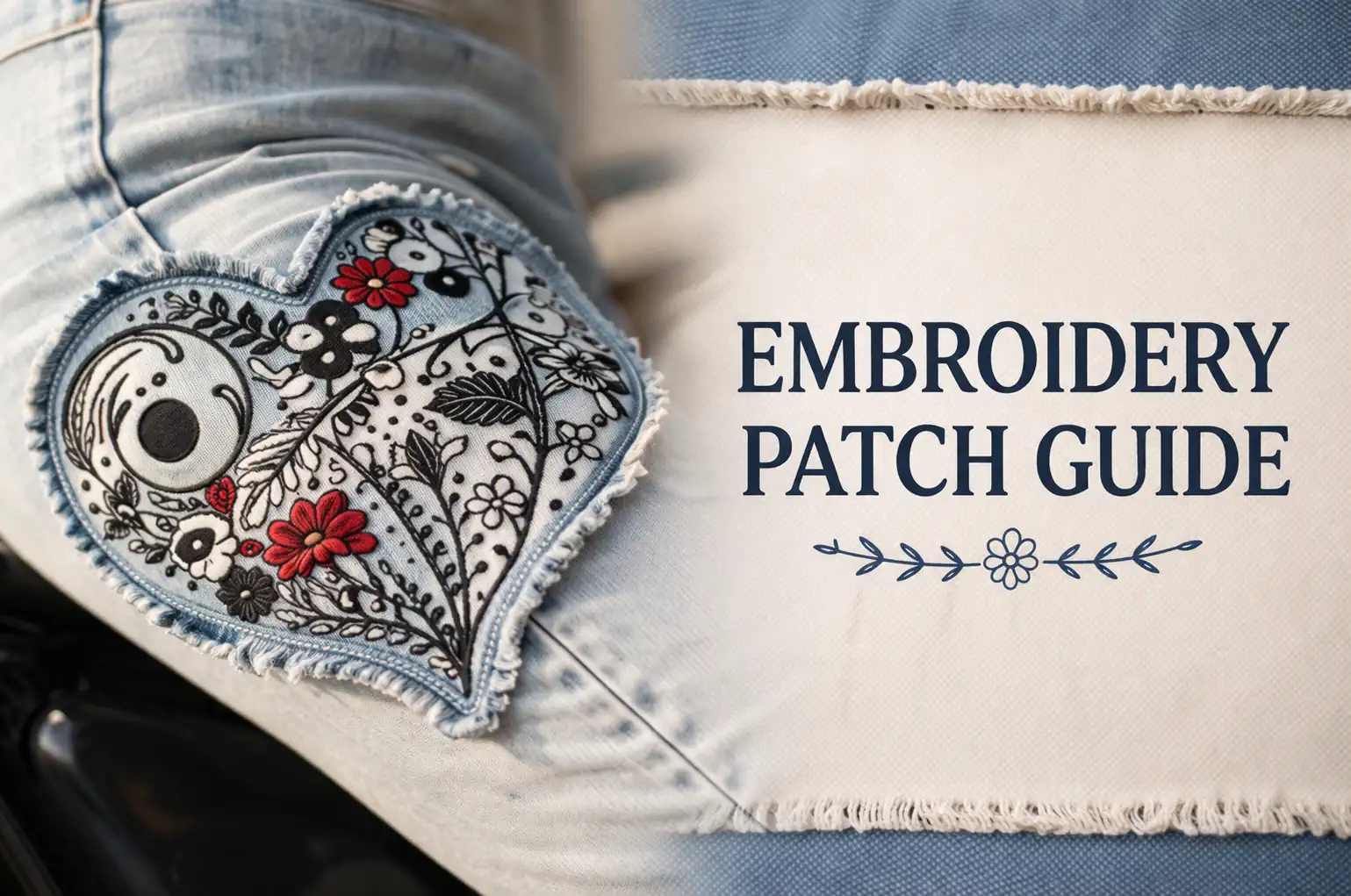
In the photo above, the Floral heart 3 embroidery design isn’t stitched directly onto the jeans. Instead:
👉 A separate piece of similar fabric was embroidered
👉 Then carefully sewn onto the jeans with a hidden stitch
Result? A clean, stylish, almost “built-in” look 💥
🪡 Step-by-Step: How to Do It
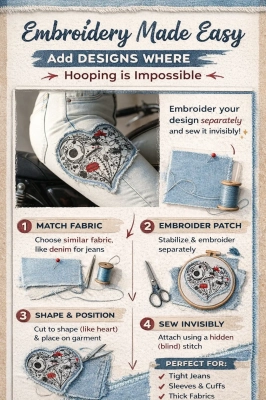
1. Choose the Right Fabric 🧶
Pick fabric that matches your garment:
Denim → use similar weight denim or twill
Cotton → use cotton with similar texture
💡 Tip: Slight contrast can look дизайнерски, but keep thickness similar!
2. Stabilize & Embroider Separately
Hoop your fabric piece normally (this is the magic part 😎):
Use proper stabilizer (cut-away for denim works best)
Keep design size realistic (not oversized!)
Focus on texture & stitch direction for premium look
💡 Expert tip: Add a small margin (1–2 cm) around your design for sewing.
3. Shape the Patch ✂️
Instead of a boring rectangle:
Cut organic shapes (heart ❤️, oval, raw edge, etc.)
Light fraying = trendy look
Clean edge = more classic
👉 In your example, the heart shape makes it look custom-made 🔥
4. Position It Naturally 👖
Place your embroidery where it feels “designed,” not stuck on:
Thigh (like your example)
Pocket edge
Knee area
Sleeve
💡 Try it in front of a mirror before sewing!
5. Sew with a Hidden Stitch 🪡
Use:
Blind stitch (ручной потайной шов)
Or very fine topstitch close to edge
👉 The goal:
no visible seam = illusion of direct embroidery
💡 Pro trick:
Use matching thread color OR intentionally contrast for style.
🎯 When This Method Is PERFECT
✔ Tight jeans (невозможно зажать в пяльцы)
✔ Sleeves & cuffs
✔ Bags & backpacks
✔ Finished garments
✔ Thick fabrics or layered items
💎 Why This Looks Premium
This method actually looks better than direct embroidery in many cases:
More control over stitch quality
No fabric distortion
Allows creative shapes
Looks like designer customization
👉 This is how many boutique brands fake “impossible embroidery” 😉
⚠️ Mistakes to Avoid
❌ Too thick patch → looks bulky
❌ Wrong fabric → doesn’t blend
❌ Oversized design → unnatural
❌ Flat lighting (if shooting content) → kills texture
🌿 Final Thought
Embroidery isn’t limited by your hoop — only by your creativity ✨
This technique opens up endless possibilities:
from denim fashion to home decor and accessories.
Recommended Comments