

Easter Bunny Embroidery Design on Linen Napkin

By diver361
- 300 views
- View diver361's images
🐰 Napkins with Easter Free Embroidery Design
✨ Transform your table into a cozy Easter story with stitches
Easter is all about warm details, soft textures, and handmade charm — and nothing captures that better than embroidered napkins. A simple linen napkin becomes a piece of art when you add a delicate bunny with an egg design.
In this blog, you’ll learn how to create a stylish, modern Easter table accent using embroidery — with expert tips, practical tricks, and ideas that actually work.
🧵 Why embroidered napkins are trending
✨ Minimal effort → maximum visual effect
✨ Reusable & eco-friendly decor
✨ Perfect for Instagram / Pinterest aesthetics
✨ Personal handmade touch
💡 According to embroidery guides, even simple napkin projects can be completed quickly and customized easily depending on your skill level
🐣 Featured Design (FREE)
👉 Add charm instantly with this design:
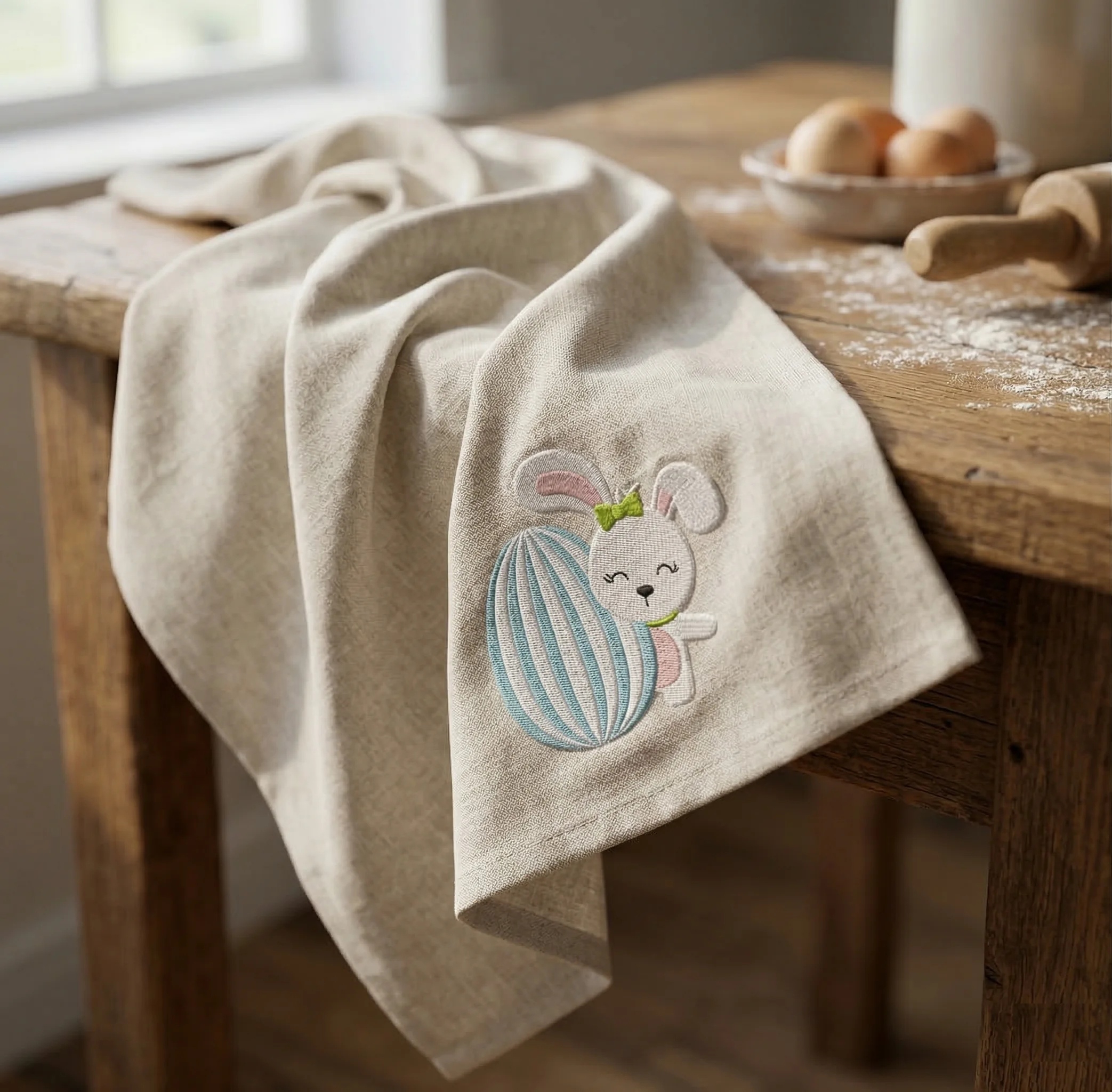
Easter Bunny with Egg Free Embroidery Design
🔗 https://embroideres.com/free-embroidery-designs/individual/easter-free-embroidery-collection/easter-bunny-egg-free-embroidery-design1/
✔ Soft pastel palette
✔ Perfect corner placement
✔ Ideal for linen & cotton napkins
✔ Beginner-friendly stitching
🧠 Expert Tips (SAVE THESE!)
📍 Placement matters
👉 Place embroidery in the corner (5–7 cm from edges)
✔ Looks clean when folded
✔ Works with napkin rings
✔ Keeps design visible
💡 Many crafters prefer corner placement for flexibility in folding styles
🧵 Fabric choice = 80% of success
✔ Linen → premium look + texture
✔ Cotton → easier for beginners
✔ Avoid thin fabrics (distortion risk)
💡 Pre-washing and pressing fabric improves accuracy and stitching quality
⚙️ Stabilizer — yes or no?
✔ Dense linen → often NO stabilizer
✔ Thin fabric → use light stabilizer
✔ Hooping tension is key
💡 Some napkin projects work without stabilizer if fabric is stiff enough
🎨 Thread strategy
✔ Use 2–3 strands for soft look
✔ Satin stitch for filling
✔ Light pastel palette = Easter vibe
✨ Make it “premium”
✔ Slight fabric folds (not flat!)
✔ Natural light (window lighting)
✔ Add props: flour, eggs, rolling pin
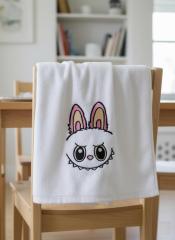
🔥 This creates catalog-level lifestyle shots (like your image 👆)
🪄 Styling Ideas for Viral Content
🍞 Rustic kitchen mood
Wooden table
Flour dust
Eggs in ceramic bowl
🕊 Soft spring aesthetic
White + beige tones
Linen textures
Window daylight
📸 Pinterest viral formula
✔ Close-up texture
✔ Soft shadows
✔ 25–30% embroidery size (not oversized!)
🚀 Step-by-step (quick version)
🧵 Choose napkin & design
📍 Mark corner placement
🔄 Hoop fabric
🪡 Stitch design
🔥 Press & style
💡 Even beginners can complete one napkin in ~30 minutes depending on complexity
💬 Final Thoughts
Embroidered Easter napkins are more than decor — they’re emotion, atmosphere, and handmade storytelling.
✔ Small design → big impact
✔ Budget-friendly → premium look
✔ Perfect for gifts or holiday tables
🐰 Ready to create your own?
👉 Start
Recommended Comments
Join the conversation
You can post now and register later. If you have an account, sign in now to post with your account.