

Cross stitch
Cross stitch Free machine embroidery designs
You may embroider these free cross stitch embroidery designs on your machine, just like any other embroidery designs. They designs on all machines. Many variants and styles. Every week new. You can use it to create Christmas gifts or decorate home decor elements. Beautiful pillows, kitchen towels or elegant tablecloths.
344 files
-
Size: 8.73 x 8.20'
- star
- grey
- teddy bear
- cross stitch
-
Tagged with:
- 1,881 Craft & Embroidery Downloads
-
Size: 3.00 x 3.98'
- flower
- one colored
- pink
- leaves
-
Tagged with:
- 981 Craft & Embroidery Downloads
-
Size: 5.39 x 6.33'
- 1,078 Craft & Embroidery Downloads
-
Size: 5.39 x 6.10 '
- 939 Craft & Embroidery Downloads
- 1 Comments
-
Size: 3.89 x 3.89'
- 1,429 Craft & Embroidery Downloads
- 1 Comments
-
Size: 3.87 x 3.87'
- 1,211 Craft & Embroidery Downloads
- 1 Comments
-
Size: 3.69 x 3.69'
- 1,265 Craft & Embroidery Downloads
- 1 Comments
-
Size: 7.18 x 7.19'
- 829 Craft & Embroidery Downloads
-
Sizes: 7.52 x 7.43' and 7.84 x 7.75'
- 1,637 Craft & Embroidery Downloads
- 4 Comments
-
Size: 12.99 x 2.32'
- 943 Craft & Embroidery Downloads
- 1 Comments
-
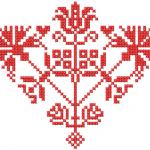
Size: 7.31 x 6.39'
- red
- one colored
- cross stitch
- heart
-
Tagged with:
- 996 Craft & Embroidery Downloads
-
Size: 2.91 x 2.91'
- 1,125 Craft & Embroidery Downloads
-
Big set: optional hoop size 5.46 x 6.09'
- 4,243 Craft & Embroidery Downloads
- 4 Comments
-
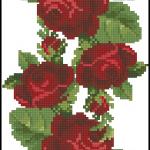
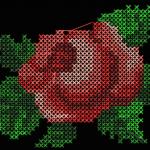
Cross stitch set with XSD format files
- collection art
- flower
- rose
- cross stitch
-
Tagged with:
- 2,533 Craft & Embroidery Downloads
- 1 Comments
-
- 1,476 Craft & Embroidery Downloads
- 2 Comments

Newest free embroidery designs
-
- 1,905 Craft & Embroidery Downloads
- 0 Comments
-
- 2,486 Craft & Embroidery Downloads
- 1 Comments
-
- 3,050 Craft & Embroidery Downloads
- 3 Comments
-
- 1,316 Craft & Embroidery Downloads
- 0 Comments
-
- 2,454 Craft & Embroidery Downloads
- 0 Comments
-
- 1,472 Craft & Embroidery Downloads
- 0 Comments


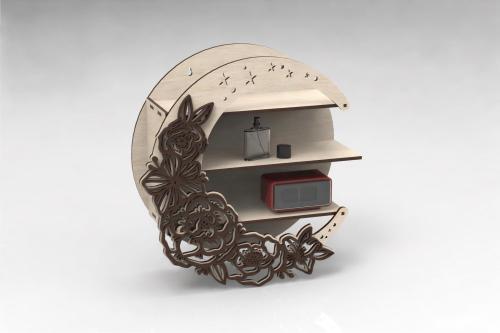
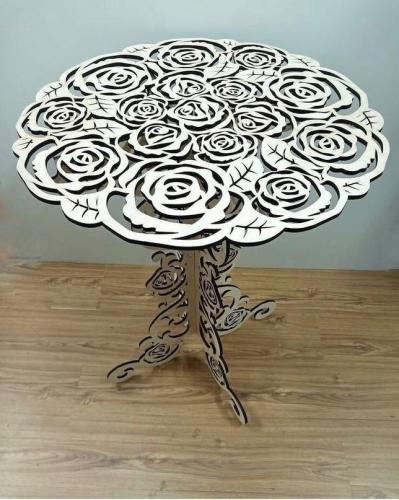
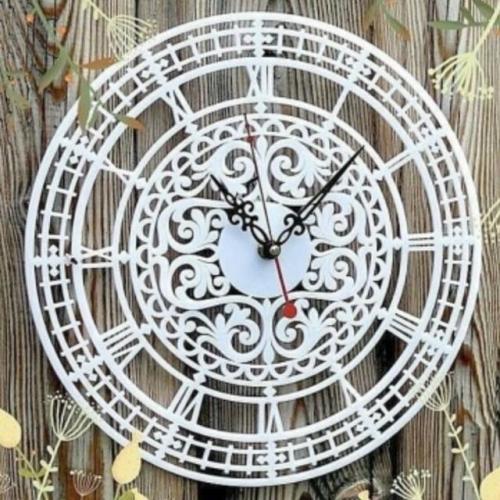
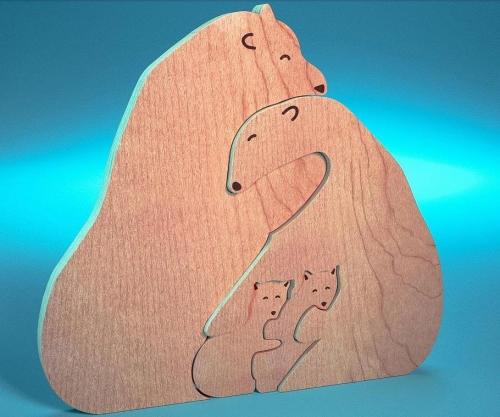
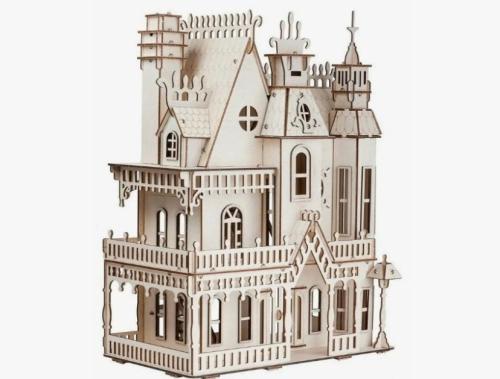
Laser cut Free Files
-
- 29 Craft & Embroidery Downloads
- 0 Comments
-
- 33 Craft & Embroidery Downloads
- 0 Comments
-
- 41 Craft & Embroidery Downloads
- 0 Comments
-
- 40 Craft & Embroidery Downloads
- 0 Comments
-
- 124 Craft & Embroidery Downloads
- 0 Comments
-
- 83 Craft & Embroidery Downloads
- 0 Comments


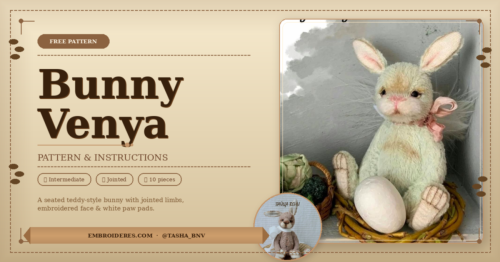
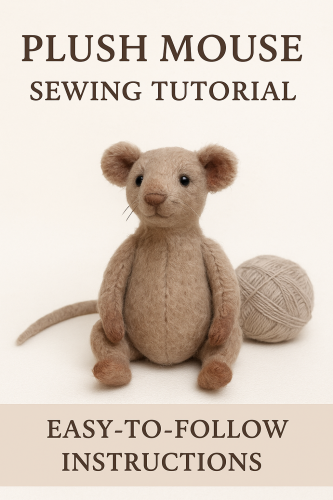
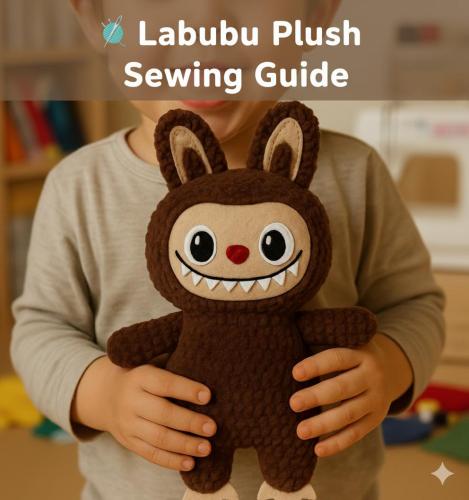
Free Plush Patterns
-
- 26 Craft & Embroidery Downloads
- 0 Comments
-
- 1,328 Craft & Embroidery Downloads
- 0 Comments
-
- 744 Craft & Embroidery Downloads
- 0 Comments
-
- 105 Craft & Embroidery Downloads
- 0 Comments
-
- 132 Craft & Embroidery Downloads
- 0 Comments
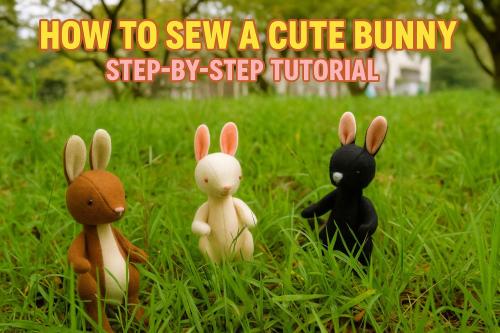
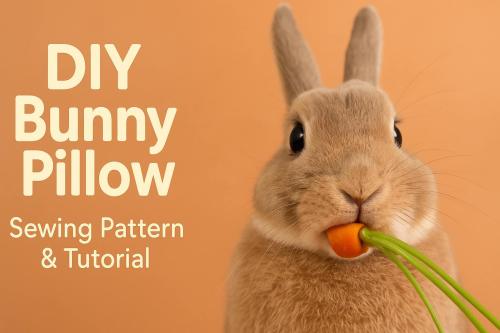
3D mandala cut files
-
- 55 Craft & Embroidery Downloads
- 0 Comments
-
- 34 Craft & Embroidery Downloads
- 0 Comments
-
- 45 Craft & Embroidery Downloads
- 0 Comments
-
- 24 Craft & Embroidery Downloads
- 0 Comments
-
- 9 Craft & Embroidery Downloads
- 0 Comments
-
- 20 Craft & Embroidery Downloads
- 0 Comments
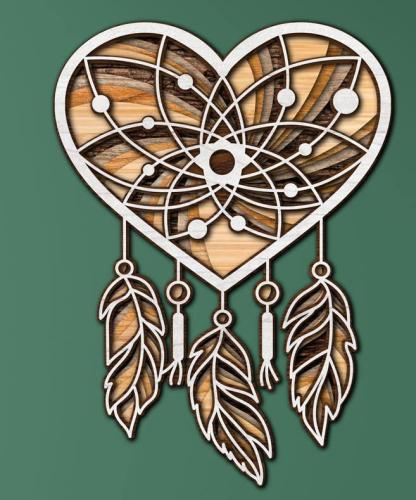
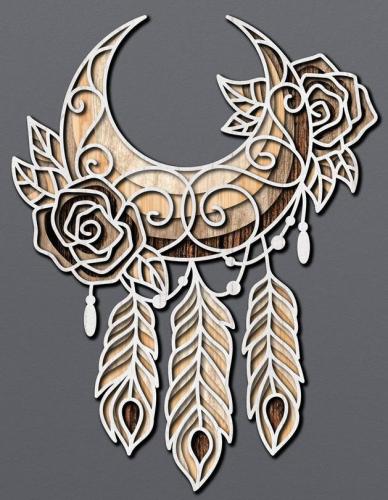
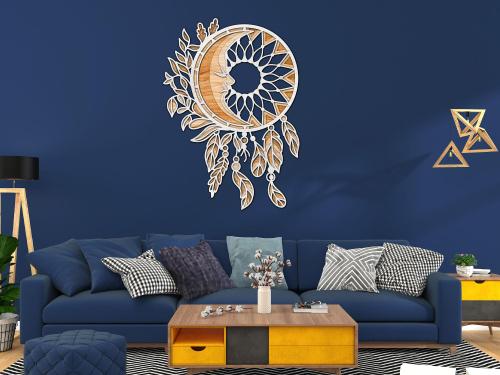

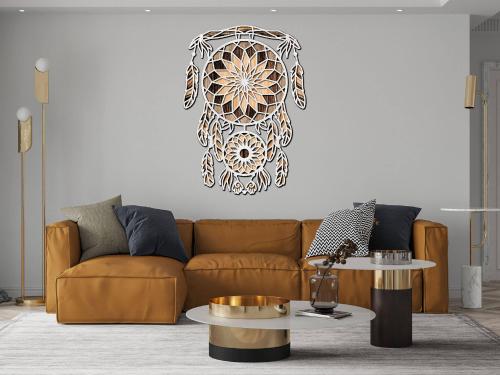
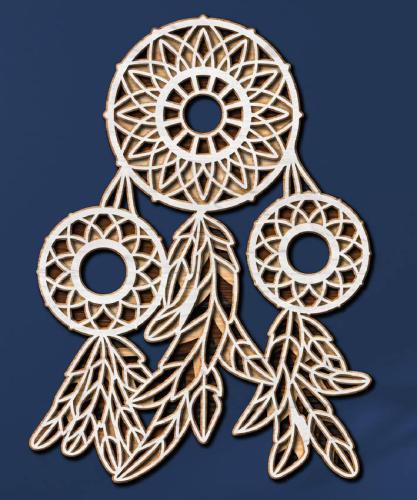
Photos with embroidered items
-
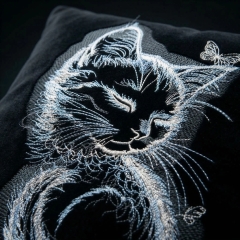
🐱 Meet the Magic of Thread & Fabric
👉 Bring this dreamy design to life: https://embroideres.com/sleeping-kitty-black-background-embroidery-design-85121/
There’s something quietly mesmerizing about this sleeping kitty… ✨
Delicate silver and soft blue threads shimmer against a deep black background, creating a glowing, almost cinematic effect. Every whisker, every gentle curve of the peaceful feline face is stitched with precision—while a tiny butterfly adds a subtle touch of magic 🦋This isn’t just embroidery. It’s a moment of calm, captured in thread 🧵
✨ A Design That Feels Alive
The contrast embroidery technique gives this piece incredible depth and dimension. Light catches the stitches differently from every angle, making the kitten appear almost lifelike on fabric.
Perfect for:
cozy hoodies
statement jackets
декоративные текстильные акценты
meaningful handmade gifts
🔍 Expert Insight & Inspiration
🔗 Inspired by contemporary wildlife embroidery trends featured across Pinterest and textile art communities
🔗 Similar dimensional stitching approaches are often used in premium fashion embroidery and modern craft design💫 Why People Love This Design
✔ High-contrast elegance — silver on black creates a premium, eye-catching look
✔ Fine detail craftsmanship — каждый стежок добавляет глубину и характер
✔ Versatile application — идеально для одежды и интерьерных проектовЕсли хочешь — могу сразу сделать:
✔ версию под Pinterest (с SEO ключами)
✔ короткий viral вариант для Reels
✔ или шаблон, который будет генерить такие тексты автоматически под все дизайны 💪 -
🧵 Decorating a Denim Jacket Pocket with Machine Embroidery
Step-by-Step Guide When the Pocket Is Already Sewn On
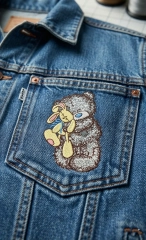
Denim jackets are one of the most popular items for embroidery. A small Teddy Bear with toy embroidery design on the chest pocket adds personality and turns a basic jacket into a stylish handmade piece.
However, embroidering after the pocket is already sewn to the jacket requires special techniques. If done incorrectly, the pocket can accidentally be stitched shut or distorted.
This guide explains the safest professional method used by experienced embroiderers to decorate a denim jacket pocket without damaging the garment.
🔎 Quick Research Summary
📊 Based on practices from commercial embroidery workshops and garment customization studios.
📌 Key challenges when embroidering on pockets:
Preventing the pocket from being sewn closed
Stabilizing thick denim fabric
Hooping small areas without distortion
Avoiding stitches that catch pocket seams
💡 The safest method is floating the pocket and inserting a protective barrier inside the pocket.
🧵 Materials You Will Need
🪡 Embroidery machine
🧵 Polyester embroidery thread
Durable and slightly glossy — ideal for denim.📄 Cut-away stabilizer (medium weight)
Best choice for thick fabrics like denim.🧷 Temporary spray adhesive or tape
✂️ Small embroidery scissors
📦 A thin piece of cardboard or plastic sheet
Used to protect the pocket interior.📏 Design Preparation
Before starting embroidery, check the design size.
📌 Recommended pocket embroidery size:
Height: 4–7 cm (1.5–2.7 in)
Width: 4–6 cm
⚠️ The design must stay at least 1.5 cm away from pocket seams.
This prevents:
puckering
thick seam stitching
needle breaks
💡 Small detailed designs work best:
teddy bears
flowers
minimal line art
animals
vintage motifs
1️⃣ Step 1 — Mark the Embroidery Position
Place the jacket flat on a table.
Use washable chalk or a disappearing marker to mark the center of the design.
✔ Keep the design centered on the pocket
✔ Leave space around seams📍 Pro tip:
The embroidery should sit slightly above the pocket center, which looks more natural visually.
2️⃣ Step 2 — Insert Pocket Protection
This is the most important step.
Open the pocket and insert a thin cardboard or plastic sheet inside.
Purpose:
✔ Prevent the machine from stitching the pocket closed
✔ Keep the pocket interior clean
✔ Protect the fabric layersThe barrier must cover the entire pocket area.
3️⃣ Step 3 — Prepare the Stabilizer
Cut a piece of cut-away stabilizer slightly larger than the hoop.
Options:
✔ hoop stabilizer only
✔ float the jacket on topFor denim jackets, floating usually works better.
4️⃣ Step 4 — Hoop the Stabilizer
Place the stabilizer in the embroidery hoop.
Make sure it is tight like a drum.
Do not hoop the jacket itself if the pocket area is small.
Instead:
➡️ Hoop only stabilizer
➡️ Place the jacket on topThis avoids stress on seams.
5️⃣ Step 5 — Secure the Jacket
Position the pocket exactly under the needle.
Use:
✔ temporary spray adhesive
or
✔ embroidery tapeSmooth the denim so there are no folds under the design area.
6️⃣ Step 6 — Test the Needle Position
Before stitching:
Use the machine's trace function.
Check that:
✔ the design stays inside the pocket area
✔ the needle does not hit pocket seams
✔ there is clearance from rivets⚠️ Denim seams are extremely thick and can break needles.
7️⃣ Step 7 — Start Embroidery
Recommended settings:
🧵 Thread: polyester 40wt
🪡 Needle: denim needle 90/14Reduce machine speed slightly.
Standard speed: 800–1000 spm
Recommended: 600–700 spm
Slower speed improves stitch quality on thick fabric.
8️⃣ Step 8 — Monitor the Stitching
Watch the first stitches carefully.
Check that:
✔ the pocket layer is not caught
✔ the fabric stays flat
✔ stabilizer holds firmlyIf the pocket shifts, stop the machine immediately.
9️⃣ Step 9 — Finishing the Embroidery
After stitching is complete:
Remove the hoop
Carefully remove cardboard from the pocket
Trim stabilizer from the back
Leave about 5–8 mm of cut-away stabilizer behind the design.
This helps the embroidery keep its shape.
⭐ Professional Tips
🧵 Use satin stitches for borders
They stand out beautifully on denim.🪡 Avoid very dense designs
Denim is thick — too many stitches can cause puckering.📏 Keep designs small and balanced
Large embroidery on pockets often looks unnatural.💡 Macro-detail designs look amazing on denim
Examples:vintage teddy bears
botanical sketches
minimal animals
small lettering
⚠️ Common Mistakes
❌ Forgetting to insert a pocket barrier
→ Pocket gets sewn shut❌ Placing embroidery too close to seams
→ Needle breaks❌ Using tear-away stabilizer
→ Poor stitch quality❌ Hooping thick denim seams
→ Fabric distortion✨ Final Result
A properly embroidered pocket should look:
✔ clean and professional
✔ naturally integrated with the fabric
✔ slightly raised due to real thread stitches
✔ positioned neatly inside the pocket spaceA small embroidery design can transform a simple denim jacket into a unique handmade fashion piece.
🧵 Bonus Idea
Pocket embroidery pairs perfectly with:
embroidered denim jackets
embroidered tote bags
embroidered hoodies
custom streetwear
Small details like pocket embroidery often become the most eye-catching part of the garment.
-
Cozy Organizer with Embroidery Decoration
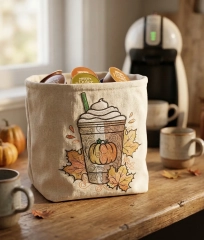
☕ DIY Soft Basket for Coffee Capsules
Simple sewing tutorial
This soft fabric basket is perfect for storing coffee capsules, tea bags or small snacks next to your coffee machine.
The embroidery is placed on the front panel, and the basket has a simple square base construction.
📏 Finished basket size
Approximate finished size:
18 × 18 × 18 cm
✂️ Fabric pieces (correct pattern)
Cut from outer fabric:
• 4 panels — 20 × 20 cm
• 1 bottom — 20 × 20 cmCut the same pieces from lining fabric.
Cut fusible interfacing for the 4 outer panels.
Why 20 cm?
Because:
finished basket ≈ 18 cm
1 cm seam allowance on each side
🧵 Step 1 — Embroider the front panel
Choose one of the outer panels.
Place the embroidery:
• centered horizontally
• about 7 cm above the bottom edgeAlways embroider before assembling the basket.
🔥 Step 2 — Apply interfacing
Fuse interfacing to the wrong side of the outer panels.
This helps the basket hold its shape.
🪡 Step 3 — Sew the outer basket walls
Sew the panels together in a strip:
panel → panel → panel → panelThen join the first and last panels to form a fabric tube.
🧺 Step 4 — Attach the bottom
Pin the bottom square to the lower edge of the basket.
Sew slowly around all four sides.
Now the outer basket is finished.
🪡 Step 5 — Sew the lining
Repeat the same process for the lining.
Important:
Leave a small turning gap in one seam.🔄 Step 6 — Join lining and basket
Place the outer basket inside the lining
right sides together.Sew around the top edge.
✨ Step 7 — Turn the basket
Turn the basket through the opening in the lining.
Push the lining inside.
Press the top edge.
🧵 Step 8 — Topstitch
Topstitch around the upper edge to finish the basket.
☕ Result
You now have a soft handmade basket for:
☕ coffee capsules
🍵 tea bags
🍬 small snacksPerfect for a cozy coffee corner.
-
🌸 Embroidered Cotton Napkins: Secrets to Elegant Table Line
🧵 Embroidery on Cotton Napkins: Hidden Pitfalls & Pro Tips
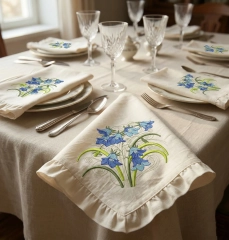
Beautiful embroidered napkins instantly elevate a table setting. Delicate floral motifs like the Bluebells bouquet add elegance, handmade charm, and a luxurious texture that guests immediately notice. But achieving a clean, premium result on cotton napkins requires attention to a few critical details.
Example design:
👉 Bluebells Flowers Bouquet Embroidery Design
https://embroideres.com/bluebells-flowers-bouquet-embroidery-design-79529/🌿 What Can Go Wrong? (Hidden Pitfalls)
🪡 Fabric distortion
Cotton napkins are usually lightweight (120–180 g/m²). During embroidery the fabric can pull, wrinkle, or shift.
➡ Solution
✔ Use cut-away stabilizer or a dense tear-away
✔ Hoop carefully without stretching the napkin🧵 Thread sinking into fabric
Fine cotton absorbs stitches and the embroidery can lose its sharpness.
➡ Solution
✔ Add water-soluble topper
✔ Increase satin density slightly📏 Placement mistakes
Napkins must fold elegantly on a table. Poor placement can hide the embroidery completely.
➡ Best placement ideas:
• Corner embroidery (classic restaurant style)
• Lower corner with diagonal orientation
• Small motif near folded edgeAvoid placing designs in the center, where folds hide the work.
✨ How to Make Napkins Look Premium
🌸 Keep embroidery smaller
Large designs make napkins stiff.
✔ Ideal embroidery size
90–120 mm (3.5–4.7 in)This keeps the napkin soft and elegant.
🧶 Choose the right threads
Experts recommend polyester embroidery thread for napkins.
✔ Resistant to washing
✔ Color stable
✔ Durable🪡 Use soft underlay
Heavy underlay can create a stiff patch.
✔ Use light edge walk + zigzag underlay
💡 Expert Advice
🧵 Debbie Henry – Embroidery educator
“Napkins are handled constantly. Your embroidery must be elegant but also durable. Always test wash the sample.”
🧵 John Deer – Digitizing expert
“For lightweight cotton fabrics, reduce stitch density slightly and add topper. This preserves stitch definition.”
🧵 Lisa Shaw – Textile designer
“Small corner embroidery works best for table linens. It keeps the fabric flexible and visually balanced.”
🌼 Inspiration From Real Projects
Looking at popular embroidered table linen collections online, successful designs share common features:
✔ Small corner embroidery
✔ Soft floral motifs
✔ Natural cotton or linen
✔ Light pastel thread palette
✔ Elegant minimal compositionDesigns like the Bluebells bouquet embroidery follow exactly this principle — delicate, balanced and perfect for table decor.
🍽 Styling Ideas for Embroidered Napkins
• Spring garden table settings
• Wedding reception décor
• Cottage-style dining
• Vintage tea party table
• Elegant brunch tablePaired with crystal glasses and neutral linens, embroidered napkins become the centerpiece of the table.
🌷 Final Tip
The difference between homemade embroidery and boutique-quality linens is not the design — it is:
✔ stabilizer choice
✔ stitch density
✔ placement
✔ thread qualityMaster these details and your embroidered napkins will look luxurious and professional.
-
DIY Embroidered Stroller Bag Stylish & Practical
👜✨ DIY Embroidered Stroller Bag: A Practical & Adorable Handmade Project
A stroller bag with embroidery is more than just storage — it’s a stylish parenting essential. In this mini-research guide, we’ll explore fabrics, sizing, embroidery placement, and step-by-step construction so you can create a functional bag with a premium handmade feel.
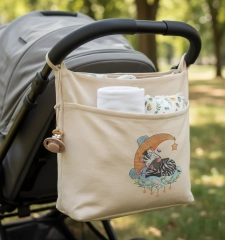
The soft neutral bag with a cute sleeping zebra embroidery (like in your photo) is a perfect example of how practical baby accessories can also be decorative 💛
🌿 Why Make Your Own Stroller Bag?
✅ Fully customized size & pockets
✅ Matches stroller color palette
✅ Durable and washable materials
✅ Unique embroidery = boutique look
✅ Perfect handmade baby shower gift 🎁🧵 Best Fabrics for a Stroller Bag (Research Overview)
1️⃣ Outer Fabric
The outer layer must balance durability + softness.
Top choices:
🪡 Canvas (cotton canvas) → strong, structured, beginner-friendly
🪡 Oxford fabric → water-resistant, ideal for daily use
🪡 Denim → trendy and durable
🪡 Linen blend → natural aesthetic (less structured, use interfacing)
👉 Research insight: Canvas with medium fusible interfacing gives the best balance between shape retention and sewing ease.
2️⃣ Lining Fabric
The lining protects contents and simplifies cleaning.
Recommended:
Cotton poplin (breathable & washable)
Waterproof lining (for milk spills & wet wipes)
Polyester lining (durable and lightweight)
3️⃣ Stabilizers & Support Materials
To maintain shape and support embroidery:
🧩 Fusible interfacing (medium weight)
🧩 Foam stabilizer (for structured luxury bags)
🧩 Tear-away stabilizer for embroidery
📏 Ideal Stroller Bag Size (Research-Based)
A practical universal size:
👉 Width: 32–36 cm
👉 Height: 22–26 cm
👉 Depth: 10–14 cmThis fits diapers, wipes, bottles, and small toys without being bulky.
Pocket suggestion:
2 inner bottle pockets 🍼
1 outer quick-access pocket
Elasticized organizer sections
🪡 Embroidery Placement & Size
For stroller bags, embroidery must remain visible but not distort fabric.
Recommended embroidery size:
👉 80–120 mm (3–5 in)💡 Your zebra design looks perfect around 95–110 mm — large enough for detail, small enough for elegant minimalism.
✨ Featured Design
Design
Link
Baby zebra sleeping on a crescent embroidery design
https://embroideres.com/baby-zebra-sleeping-crescent-embroidery-design-74873/
🧷 Step-by-Step Sewing Process
1️⃣ Prepare & Cut Fabric
Cut:
Outer fabric (front/back + sides)
Lining pieces
Pocket pieces
Strap loops
Fuse interfacing to outer fabric.
2️⃣ Stitch Embroidery First
🧵 Always embroider before assembling the bag
🧵 Hoop outer front panel with stabilizer
🧵 Center embroidery slightly below the top edge3️⃣ Sew Pockets
Add elastic to bottle pockets
Stitch outer pocket panel
Reinforce stress points
4️⃣ Assemble Bag Body
Sew outer panels together
Repeat for lining
Box the corners for depth
5️⃣ Add Stroller Straps
Use:
Velcro straps
Snap hooks
Adjustable webbing
👉 Reinforce with extra stitching (X-box method)
6️⃣ Final Assembly
Join lining and outer bag
Turn through gap
Topstitch for professional finish ✂️
🎀 Pro Tips for a Premium Result
✨ Use matching embroidery thread to stroller color palette
✨ Add piping for luxury look
✨ Choose soft pastel embroidery for baby aesthetic
✨ Waterproof inner base panel = easier cleaning
✨ Add detachable shoulder strap for dual use💛 Conclusion
A handmade embroidered stroller bag blends functionality, durability, and emotional value. With thoughtful fabric selection and a delicate design like the sleeping zebra, you create a baby accessory that feels boutique, personal, and timeless.
-
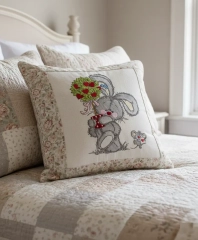
🛏️ Designing Harmony: How Embroidered Pillows Transform Bed
🪡 Embroidered Pillows in Home Interior: A Research-Based Guide to Style, Size & Materials
Embroidered pillows are more than soft accents — they are storytelling elements in your home. A well-chosen embroidery design can transform a bedroom into a romantic retreat, a cozy cottage space, or a refined modern sanctuary.
Let’s explore how to choose the right embroidery design, materials, and pillow size — based on interior styling principles and textile research.
🌿 1. Why Embroidered Pillows Matter in Interior Design
According to textile decor studies, soft furnishings influence:
✔️ Visual warmth
✔️ Texture balance
✔️ Emotional perception of space
✔️ Seasonal adaptability
Embroidery adds dimension and depth that printed textiles simply cannot replicate. The play of thread texture under light creates subtle shadows and movement — especially in bedrooms where lighting is softer and more atmospheric.
🎨 2. Choosing the Right Embroidery Design for Bedroom Pillows
A. Consider the Emotional Tone of the Room
Ask yourself:
Is your bedroom romantic and soft?
Minimalist and calm?
Rustic cottage style?
Modern neutral with accent pieces?
For example, sweet character designs like
👉 Bunny and mousekin Valentine's Day embroidery design
https://embroideres.com/bunny-and-mousekin-valentines-day-embroidery-design-61183/work beautifully in:
Romantic bedrooms 💕
Cottage interiors 🌸
Soft pastel palettes
Guest bedrooms
They introduce warmth and narrative without overwhelming the space.
B. Single Design vs. Design Series
🔎 Research insight: Interiors feel more cohesive when decorative elements follow a visual rhythm.
You can:
Option 1 — One Statement Pillow
1 embroidered accent pillow in the center
Surrounded by neutral textured pillows
Works best for modern bedrooms
Option 2 — Coordinated Series
2–3 pillows using designs from one collection
Same theme, different compositions
Ideal for cottage, romantic, or children’s rooms
💡 Tip: Keep thread colors within the same palette range (warm neutrals, muted pastels, or monochrome embroidery).
🧵 3. Best Materials for Embroidered Pillow Covers
Fabric choice affects both:
Stitch clarity
Durability
Luxury perception
Recommended Fabrics:
Fabric
Best For
Notes
🪶 Cotton twill
Everyday bedroom use
Holds stitches cleanly
🌿 Linen
Rustic / Scandinavian
Natural texture enhances embroidery
🧶 Upholstery cotton blend
Large beds
More structured look
🤍 Canvas
Statement pieces
Keeps embroidery sharp
Avoid:
❌ Very stretchy fabric
❌ Thin polyester
❌ Slippery satin (unless stabilized heavily)💡 Pro Tip: Always use quality stabilizer to prevent puckering and maintain design integrity.
📏 4. Pillow Size Relative to Bed or Chair
Proper scale is essential. According to interior proportion guidelines:
🛏️ For Beds
Bed Size
Recommended Pillow Layout
Twin
1–2 embroidered 16"x16"
Full
2 × 18"x18"
Queen
2 × 20"x20" + 1 accent
King
3 × 20"x20" or 2 × 22"x22"
✨ Golden Rule: Decorative pillows should cover no more than 60% of bed width visually.
🪑 For Armchairs
16"x16" or 18"x18" works best
Avoid oversized pillows on compact chairs
Keep embroidery centered or slightly above midline for visibility
🌞 5. Placement & Light Interaction
Embroidery looks best when:
Positioned at eye level
Light falls diagonally across stitches
Threads have slight sheen for depth
In bedrooms near windows, morning light enhances textured stitching beautifully.
💕 6. Creating Seasonal or Thematic Collections
Many designers now rotate pillow covers seasonally:
🌷 Spring — florals & soft animals
☀️ Summer — botanical or minimal line art
🍂 Autumn — textured neutrals
❄️ Winter — warm red & forest tonesCharacter-based designs like the Bunny and Mousekin create emotional warmth — perfect for Valentine’s or cozy seasonal decor.
🧠 7. Research Conclusion: What Makes a Perfect Embroidered Pillow?
A well-designed embroidered pillow combines:
✔️ Proportional size
✔️ Cohesive color palette
✔️ Quality fabric
✔️ Clear stitch density
✔️ Interior harmonyWhen these factors align, embroidery becomes not just decoration — but atmosphere.
✨ Final Thought
Your bedroom is a personal sanctuary. Embroidered pillows allow you to express softness, nostalgia, romance, or refined elegance — through thread and texture.
Choose thoughtfully. Scale correctly. Invest in quality materials.
And let your embroidery tell a story. 🪡💖
Who's Online (See full list)
Download Statistics
- 4,106 Files
- 8,906 Comments
- 7,838 Reviews
-